
Spatial Audio with Wwise Portals and Volumes
Spatial Audio with Wwise Volumes & Portals in Unreal 5
Chris Chen
3/21/2026
Wwise Spatial Volumes and Portals are pretty incredible. This is one of those Wwise features that keep studios on Wwise, rather than trying out Native Unreal IMO.
Wwise Spatial Audio is pretty well thought out and there are a good number of features within, like being able to set different acoustic textures on surfaces quickly and their respective transmission loss.
For workflow, it's nice to have the Fit To Geometry feature that can get you a shape of the room pretty quickly, but the greatest feature this offers is the diffraction.
I'm looking forward to the day Epic releases their own version of something like this. AFAIK, most of it is faked occlusion/obstruction by setting some filters and a decrease in volume or other tricks that require a lot of manual work and can be incredibly time consuming. It's kind of crazy how easy AudioKinetic has made this, with the exception of having to manually make weird volume shapes that can take up an extraordinary amount of time (though I guess that is also an issue in Unreal itself), luckily there's a tool out on the market for that now, which I'll get to later.
There aren't many tutorials or things like that out on Wwise Spatial Audio, but the AudioKinetic website does a good job in going in-depth about the features it offers.
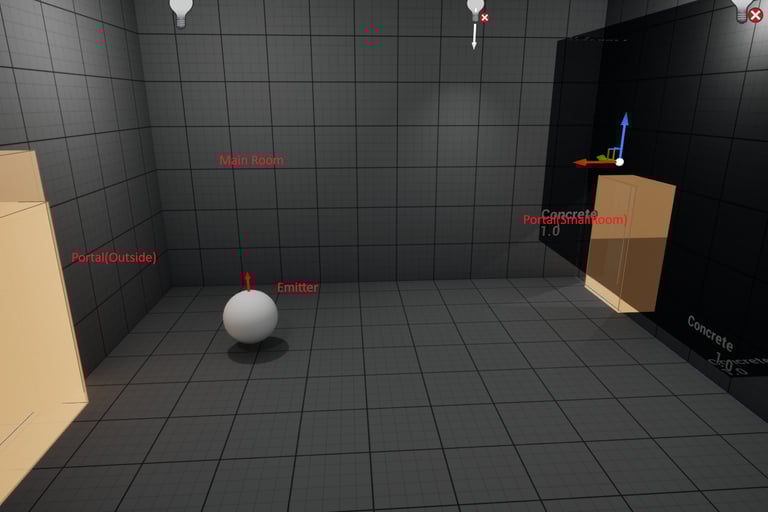
I've set up a building with two rooms and am using three volumes:
1. Main Room (+volume)
2. Small Room (+volume)
3. Outdoor Volume
Main Room is bigger, has a door that opens and closes, has reverb, and also has an emitter that is located at an angle past the door entrance.
Small room has no reverb, it was just made to check the diffracted sound coming from the other room at various angles.
There are portals leading to both rooms, one from the main room to the small room (as seen on the right side of the image above) and one from the outside to the main room (left portal in image).
In order to hear the diffraction properly from the emitter inside main room while outside and around the main room, another volume is needed on the outside to connect to the portal.
You can see the outside volume that wraps around the rooms in the image below.
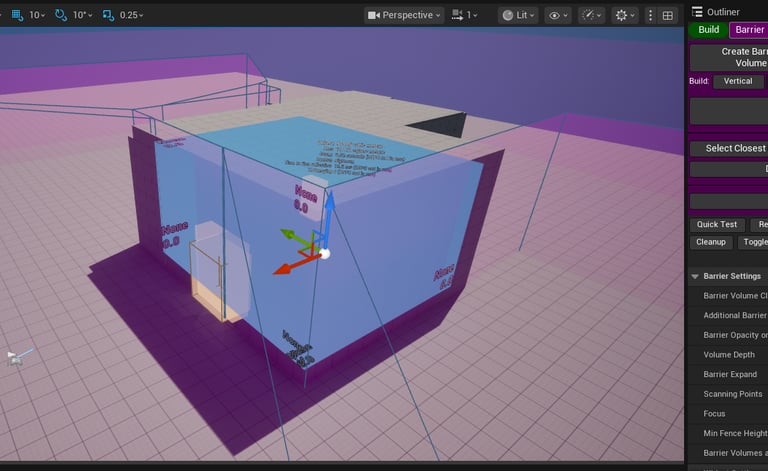
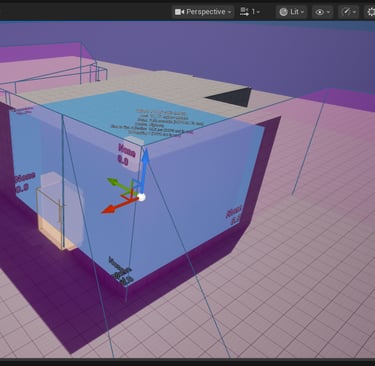
Without the outside volume, the diffraction doesn't really work leaving the portal.
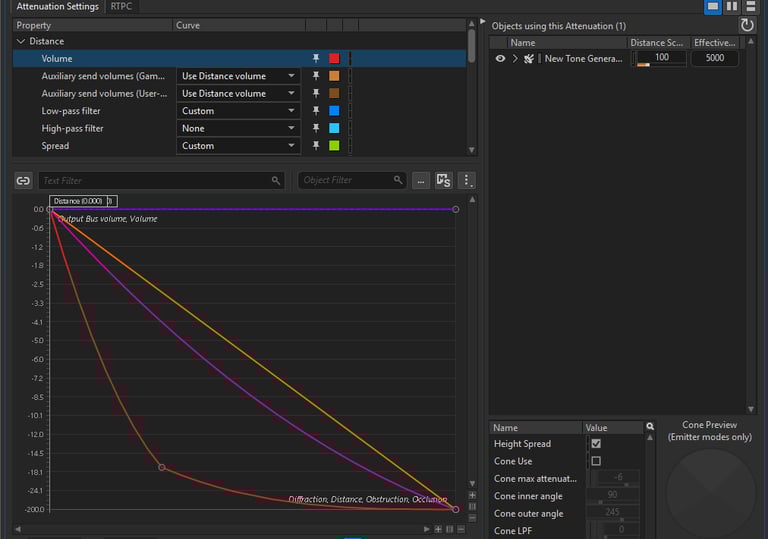
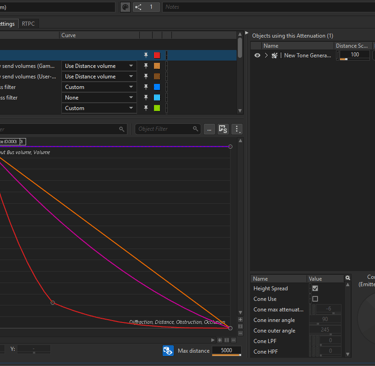
These curves help smooth out the diffraction when leaving the edges of the outside purple volume.
This is a pretty straight forward study.
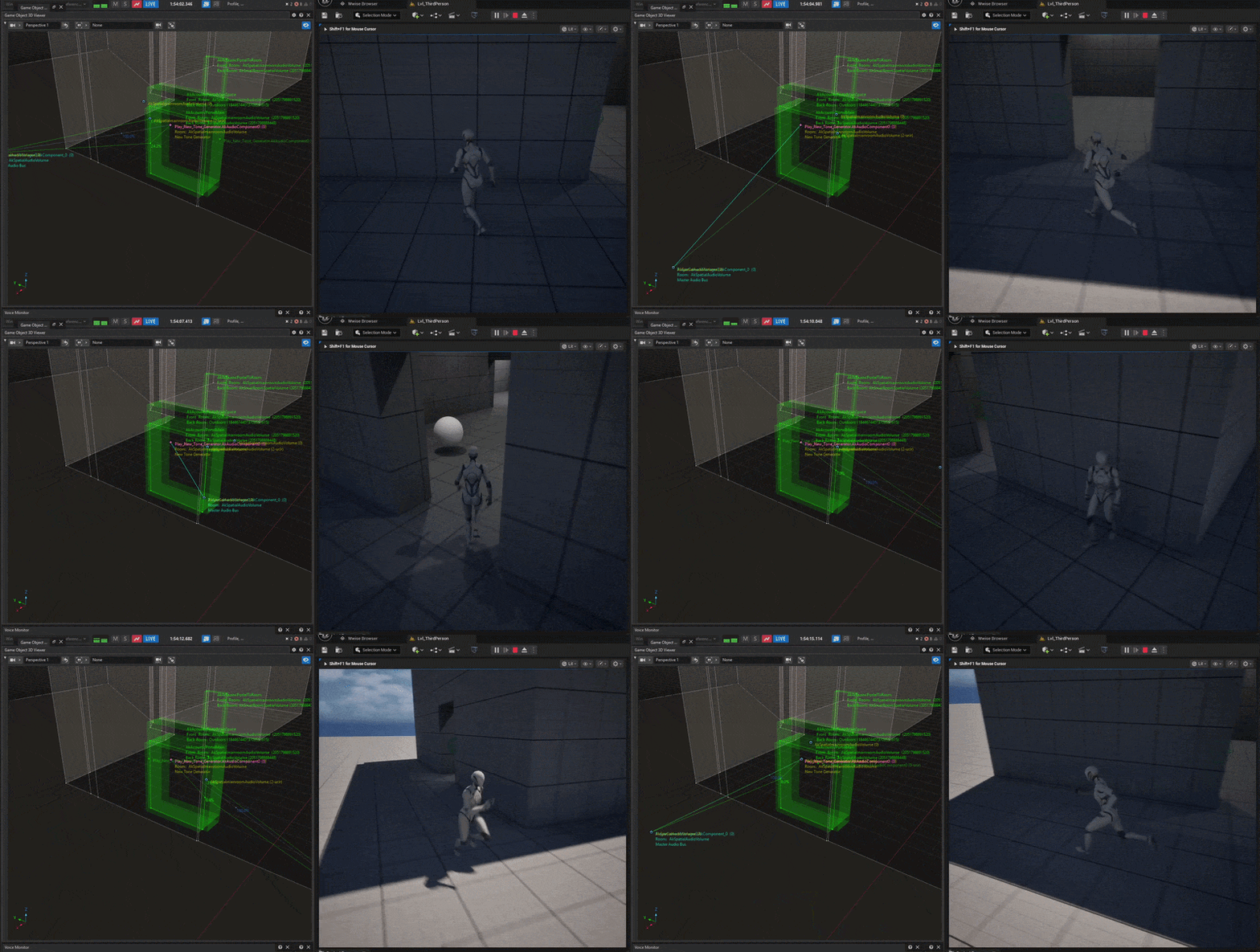
Let's explore how the rooms react to the emitter and how the audio diffracts, you can see a percentage in the profiler
The white sphere shows where the emitter is playing the sine wave at ~800hz.
Notice the debug spheres appearing around the corners where the diffraction points are calculated.
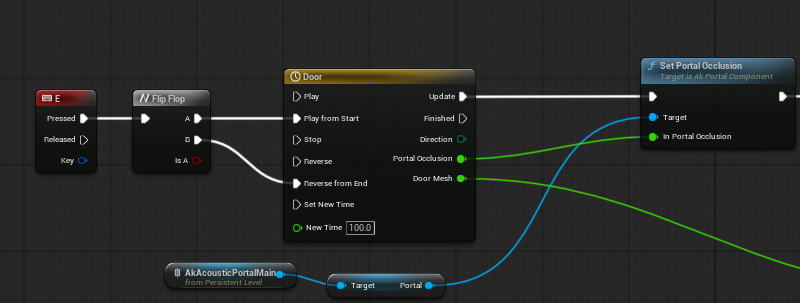
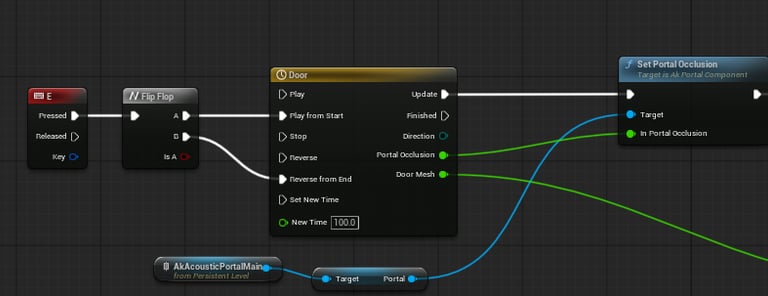
When closing/opening the door, a simple Set Portal Occlusion function is activated via a timeline track to control the diffraction/transmission of the emitter.
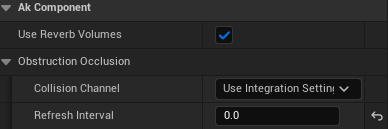
Also, since this was a persistent sine wave loop, having the refresh rate at anything above 0 caused some sudden popping when the emitter went from diffracting to having a straight line of sight. If it weren't a loop we could get away with a higher refresh interval and save on resources.
Starting in the Small Room, in triggering a beep from the player, we can hear the room has no reverb. As we get closer to the portal to the main room, we can start to hear reverb from the beep coming from the main room. Finally, once in the main room, we can hear the reverb from our triggered beep fully.
In the Outside Volume, I have the volume assigned to an aux bus with an effect that plays a signal at an octave higher. This was easier for debug purposes rather than listening for different reverbs or delays.
And again, when approaching the portal to the main room, we can hear reverb emanating from inside the main room. Once inside the main room and near the portal connecting outdoors, we can hear our debug beep being sent to the pitch effect aux.
Finally, I'd just like to plug this Volumator tool (not affiliated). This thing can save countless hours, making it incredibly easy to create volumes in just about any shape. Very well thought out and has a bunch of neat features, including an option to set portals as well. Highly recommended. It only works for Unreal 5.5 and up so far, and I'd like to see a simpler blueprint only version as some of my freelance work has me doing a lot of blueprint only projects.
Shown: Build Drone automating the volume shape based on collision detection